Quick Answer: AutoHDR is an AI-powered photo editor built for real estate photography. It blends your HDR brackets, corrects lighting, and delivers polished listing photos in about 20 minutes—for as little as $0.37 per image. If you want to automate your editing, cut costs, and scale your business, AutoHDR is built for exactly that.

What Does AutoHDR Do?
AutoHDR takes your raw bracketed photos and turns them into clean, listing-ready images using AI. You upload your photos. The AI handles the rest.
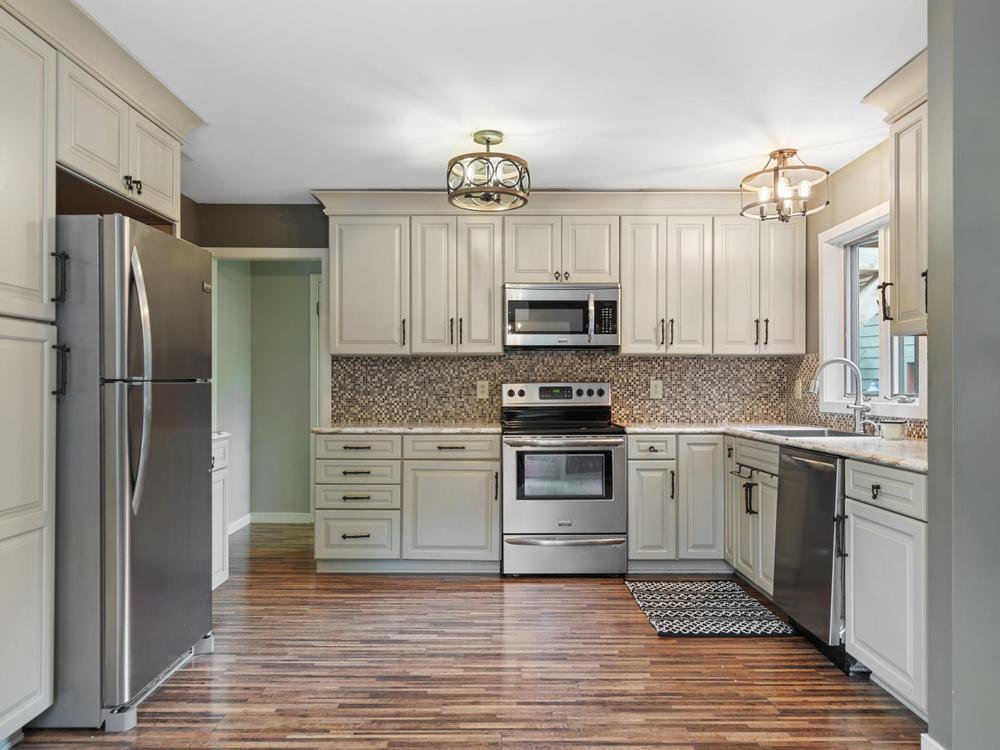
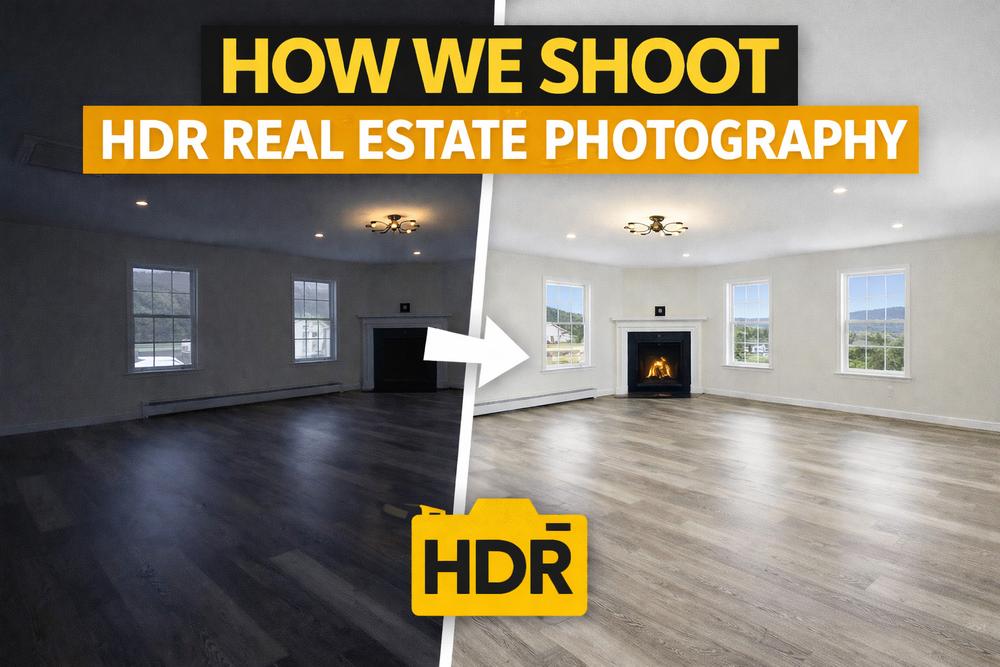
It works with HDR brackets (2, 3, 5, 7, or even 10 images) and blends them into one balanced photo. Colors, lighting, and exposure are all corrected automatically.
Here’s what it handles in a single upload:
- HDR blending — merges your brackets into one clean image
- Lighting correction — balances bright windows and dark corners
- Color correction — fixes white balance and color temperature
- Line straightening — corrects tilted walls and perspective
- Imperfection removal — cleans up small distractions
That’s just the starting point.
AI Features That Go Beyond Basic Editing
AutoHDR isn’t just an HDR blender. It includes a growing set of AI tools designed for real estate photographers.
Declutter
The declutter tool removes clutter from rooms and outdoor areas with one click. Personal items, trash cans, garden hoses—gone. No Photoshop needed.
AI Re-Edit
Want something specific removed? Type a prompt. The AI re-edit tool lets you describe what you want gone, and it handles it. Great for tricky items that standard editing would miss.
Sky Replacement
Overcast skies make homes look dull. AutoHDR replaces gray skies with natural blue ones. The result looks real—not fake or over-processed.
Grass Greening
Brown or patchy lawns hurt curb appeal. AutoHDR’s grass greening tool turns dead grass into a healthy green. Subtle enough to look real, effective enough to make a difference.
Window and Pool Enhancement
Windows and pools are tough to photograph. AutoHDR enhances them with crisp edges and natural reflections. No more blown-out windows or murky pool water.
Virtual Staging
Empty rooms are hard for buyers to picture. AutoHDR’s virtual staging adds furniture and decor using AI. Rooms go from empty to inviting in minutes.
Day-to-Dusk Editing
Want that golden-hour twilight look? AutoHDR can transform a standard daytime exterior into a warm dusk shot. Great for luxury listings or when you couldn’t schedule a twilight shoot.
Fire in the Fireplace
This one’s a crowd favorite. AutoHDR can add a realistic fire to an empty fireplace. It’s a small touch that makes living rooms feel warm and inviting.


Drag the slider handle or click anywhere on the image to compare
Flambient Editing
AutoHDR also supports flambient editing—a technique that combines flash and ambient exposures. If that’s your shooting style, AutoHDR handles it too.
Built for Systems, Automation, and Scale
This is where AutoHDR really stands out. It’s not just a photo editor. It’s a workflow tool built for real estate photography businesses that want to grow.
Batch Processing
Upload an entire shoot at once. AutoHDR processes every photo together—not one at a time. A full property edit takes minutes, not hours.
Integrations That Automate Your Workflow
AutoHDR connects with the tools you’re probably already using:
- Dropbox — auto-upload and sync
- HDPhotoHub — direct delivery integration
- Aryeo — seamless media management
- Spiro — streamlined photo delivery
- Tonimo — automated workflow support
These integrations let you build a system where photos go from camera to client with minimal manual steps.
Hybrid Editing: AI + Human QC
Not ready to go 100% AI? AutoHDR offers a hybrid option. The AI does the heavy lifting, then you or your team can review and fine-tune. Add human editors for a QA/QC layer that catches anything the AI missed.
This setup is perfect for photographers who want speed but don’t want to sacrifice quality control.
How Much Does AutoHDR Cost?
AutoHDR uses a pay-per-download model. You only pay for the images you actually use.
| Traditional Editing | AutoHDR | |
|---|---|---|
| Cost per photo | $0.70–$1.00 | As low as $0.37 |
| Turnaround | 12–24 hours | 20–30 minutes |
| Batch processing | Limited | Full shoot at once |
| AI tools included | None | Declutter, sky, staging, and more |
That’s up to 50% savings per image. Over hundreds of shoots, those savings add up fast.
You can preview every edit before downloading. No surprises. No wasted credits.
Who Is AutoHDR Built For?
AutoHDR is designed for real estate photographers and media companies who:
- Shoot multiple properties per week and need fast turnaround
- Want to reduce editing costs without dropping quality
- Like systems and automation and want editing on autopilot
- Are scaling their business and need tools that grow with them
- Use delivery platforms like Spiro, Aryeo, or HDPhotoHub
Whether you’re a solo photographer or running a team, AutoHDR fits into your workflow.
How to Get Started with AutoHDR
Getting started is simple:
- Create an account at autohdr.com
- Upload your brackets — HDR or flambient
- Preview the AI edits — compare side by side
- Download what you like — only pay for what you use
- Connect your tools — set up Dropbox, Spiro, or other integrations
AutoHDR also offers a free week of editing for new users. That gives you enough credits to test 2–3 full shoots with zero risk.
FAQs About AutoHDR
What is AutoHDR?
AutoHDR is an AI-powered photo editor built for real estate photography. It blends HDR brackets, corrects lighting and color, and delivers polished listing photos in about 20 minutes.
How much does AutoHDR cost per photo?
AutoHDR starts at $0.37 per photo. You only pay when you download the final image. Preview and compare as many edits as you want for free.
Is AutoHDR good for real estate photography?
Yes. AutoHDR is built specifically for real estate. It handles HDR blending, sky replacement, decluttering, virtual staging, and more—all optimized for listing photos.
Can AutoHDR replace my current editor?
Many photographers have switched entirely to AutoHDR. Others use it alongside their current workflow. You can test it side by side with your existing editor risk-free.
Does AutoHDR work with flambient photos?
Yes. AutoHDR supports both HDR and flambient editing styles.
How fast is AutoHDR?
Most edits are delivered in 20–30 minutes. That’s compared to 12–24 hours with traditional editing services.
Can I add a human editor to review AutoHDR’s work?
Yes. AutoHDR offers hybrid editing. The AI does the initial edit, then a human editor can review and fine-tune the results.
Does AutoHDR integrate with Dropbox?
Yes. AutoHDR integrates with Dropbox, HDPhotoHub, Aryeo, Spiro, and Tonimo for automated workflows.
Can AutoHDR add fire to a fireplace?
Yes. AutoHDR can add a realistic fire to an empty fireplace in your listing photos. It’s a popular feature that adds warmth and appeal to living spaces.
The Bottom Line
AutoHDR is more than a photo editor. It’s a system built for real estate photographers who want to work smarter, deliver faster, and scale without adding overhead.
Here’s what to do next:
- Sign up for a free week at autohdr.com
- Upload a recent shoot and compare AutoHDR’s edit to your current workflow
- Set up your integrations to start automating delivery
If you love systems, value your time, and want to grow your real estate photography business—AutoHDR is worth a serious look.
Related: Learn more about how we use HDR in our own workflow or discover what gear you need for real estate photography.